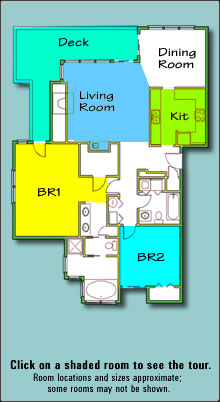
Virtual Tour for High Ridge 723
How to View the Virtual Tour
| Action |
What to Do |
| Move to another room |
Click on the room tab or the room name in the plan to move to the room. |
| Zoom in or out |
Press the ">" key to zoom in. Press the "<" key to zoom out. |
| Show rotating view |
The picture will rotate automatically until you press the "Stop" button or click on the picture. To restart the rotation, press the "Start" button. |
| Move around in the picture |
Use your mouse or the arrow keys to move up, down, left, or right. |
|
|